Your character, on camera.
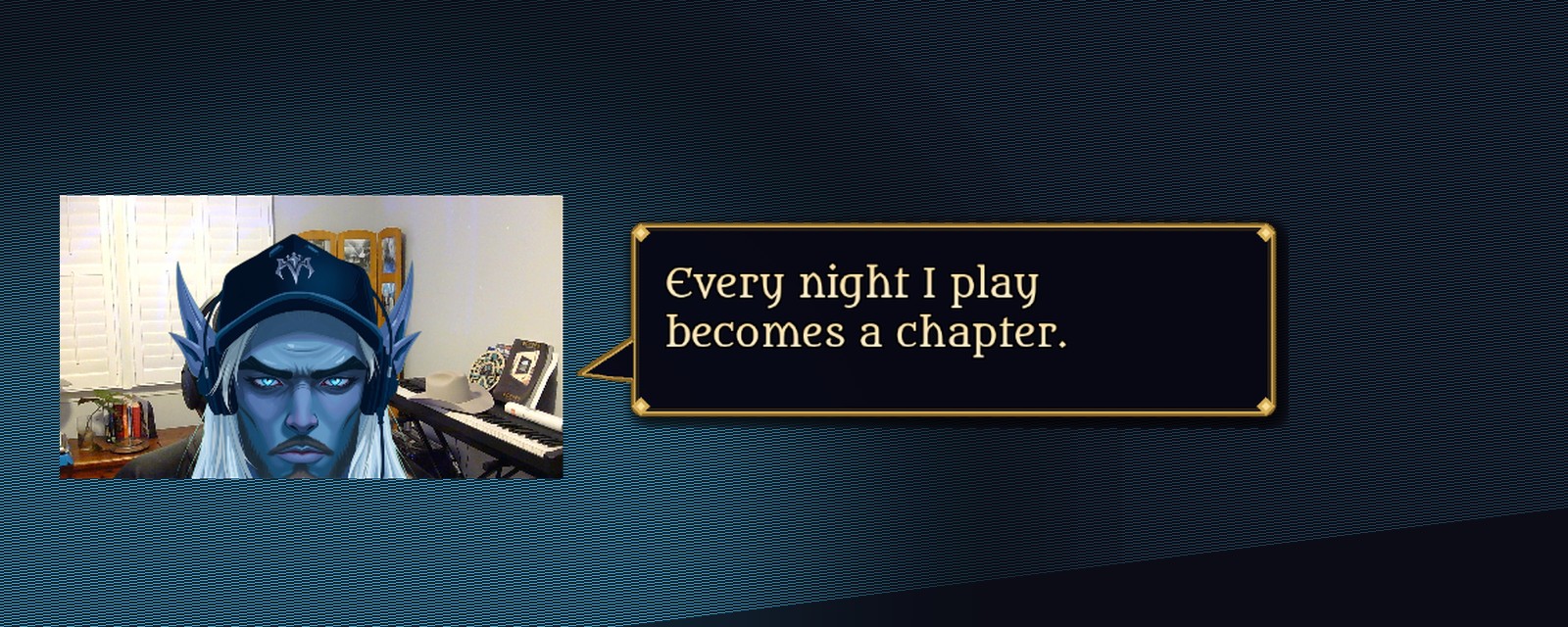
Send one photo of yourself at your desk. You get back a painted version of you — your cap, your headset, your world — that sits in your webcam box, follows your face, blinks while you think, moves its mouth when you talk, and puts what you say in a bubble beside it. Nobody sees your face unless you want them to.
What it is
A second face for your stream. It is not a filter smeared over your head and it is not a stock avatar from a menu — it is a character painted for you, keyed out, and fitted to your camera so your real room, your real lighting and your real light show stay exactly as they are behind it.
Four things run at once, and all four run on your Mac. Nothing is uploaded while you stream and nothing needs an account.
Follows your face
Apple's on-device vision finds you fifteen times a second. Lean, slouch, roll back in the chair — the character goes with you, smoothed so it never jitters.
Talks when you talk
Your mic drives the mouth. Silence closes it; speech runs an open–half–open cycle with a little irregularity, so it reads as talking rather than flapping.
Blinks on its own
Every few seconds, for a seventh of a second. It is the detail that makes people forget they are looking at a picture.
Captions what you say
On-device speech recognition writes your words into a themed bubble that moves with the character. Your voice never leaves the machine.
How you get one
- Send a photo and a sentence. One shot of you where you normally sit, facing the camera, plus who you want to be — race, class, colours, the hat you actually wear.
- Approve the face. A couple of variations come back within a day. Pick one, ask for changes, pick again. Nothing is final until you say so.
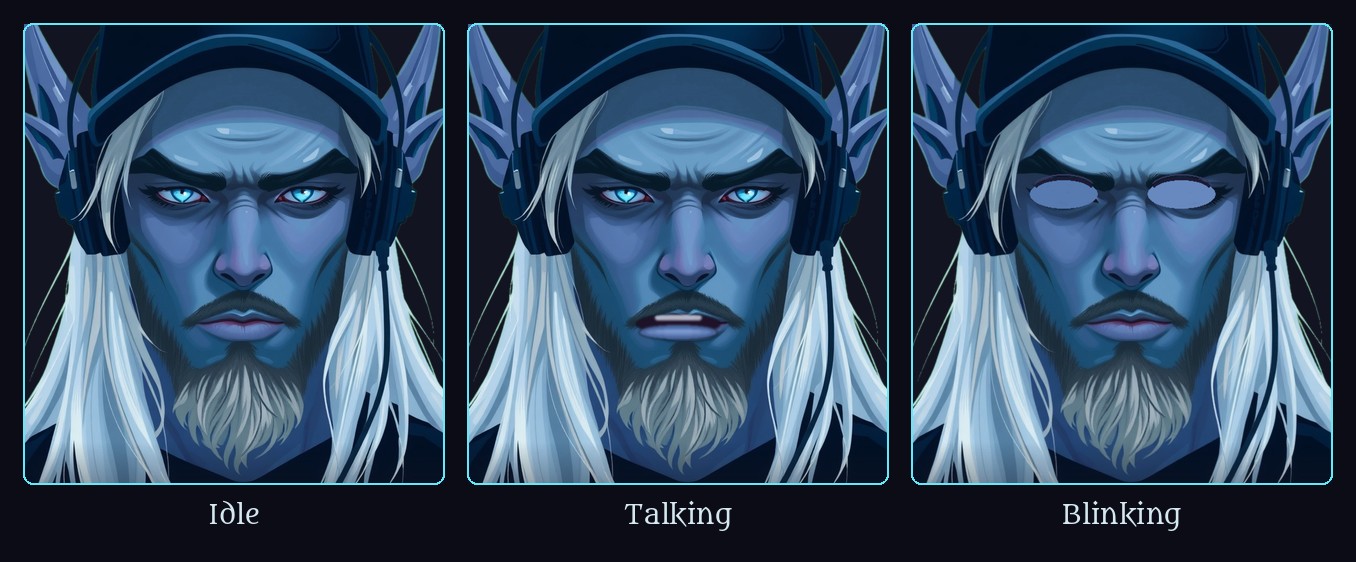
- Drop it in. You get the finished character, the three expression frames, a matching caption bubble, and a setup that builds the OBS scenes for you. Fifteen minutes from email to live.
$35 for the full set. The first ten are $25. If what comes back is not you, you do not pay.
What you get
- Three transparent frames of your character — idle, talking, blinking — at 1024 px, yours to keep and reuse anywhere.
- A caption bubble painted to match, with the words positioned inside it so the whole thing moves as one piece.
- The face tracker and the caption listener, two small signed Mac apps that do their jobs and nothing else.
- A setup that talks to OBS and builds the scenes, so there is no dragging boxes around to get it lined up.
- A plain-language page explaining every knob: mouth sensitivity, blink rate, how big the character sits over your head.
What it runs on
A Mac with Apple silicon, OBS 30 or newer, and any webcam. Dictation has to be switched on in System Settings for the captions — that is Apple's rule for on-device speech, and it is the only switch you have to flip yourself. The tracking and the mouth work without it.
Status: real and running nightly on one stream — the author's. The avatar you see on this page is the lead character of The Chronicle of Cassidy. Commissions are open while the installer is finished; a one-click version for everyone is next.